Creating a visually appealing design isn’t just about choosing colors randomly. It’s about understanding how different hues work together to evoke emotions, guide attention, and tell a story. Mastering color combinations unlocks the potential to craft designs that are not only beautiful but also meaningful. Whether you’re working on branding, web design, or interior projects, knowing how to combine colors confidently makes all the difference.
Mastering color combinations involves understanding [color theory](https://en.wikipedia.org/wiki/Color_theory), using reliable tools, and practicing strategic pairing. This approach helps create balanced, vibrant, and emotionally resonant designs that stand out and communicate clearly.
Understanding the Foundations of Color Theory
Before jumping into mixing colors, it’s essential to grasp the basic principles of color theory. Colors are not just visual elements; they carry psychological and cultural meanings that influence how your audience perceives your work.
The color wheel and harmony
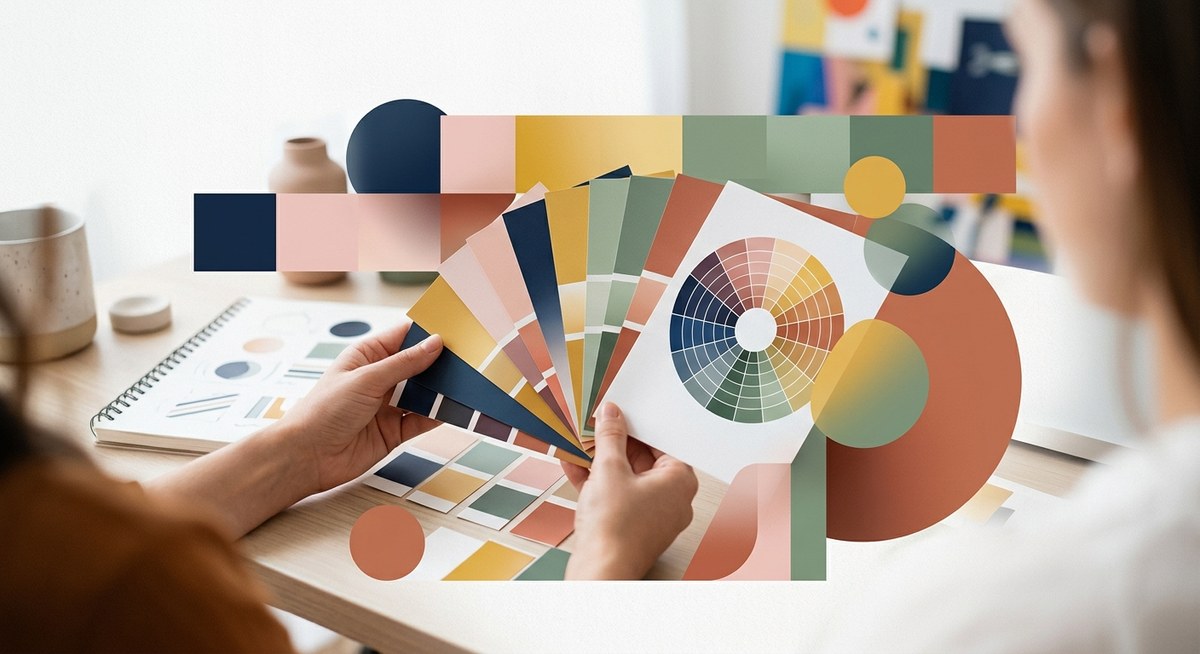
The color wheel is a circular diagram showing primary, secondary, and tertiary colors. It’s the foundation for understanding color relationships. Color harmony refers to pairing colors in a way that is pleasing to the eye. Popular harmony schemes include complementary, analogous, and triadic combinations.
Color properties
Colors have three main properties: hue, saturation, and brightness. Adjusting these can change the mood and impact of your palette. For example, muted colors often create a calm vibe, while vibrant hues energize a design.
Psychological effects
Different colors evoke specific emotions. Blue is calming, red energizes, yellow feels cheerful, and green suggests growth. Being aware of these associations helps in selecting colors that reinforce your message.
Practical Steps to Mastering Color Combinations
Achieving harmonious color schemes requires a thoughtful process. Here’s a straightforward method to guide your decision-making:
-
Identify your project’s mood and message
Decide what feelings or ideas your design should convey. Are you aiming for trust and professionalism or excitement and playfulness? This will influence your color choices. -
Choose a dominant color
Start with a primary hue that aligns with your message. This will be the main color in your palette. -
Select supporting colors
Use color schemes like complementary (opposite on the wheel), analogous (next to each other), or triadic (equally spaced around the wheel) to find colors that enhance your primary hue. -
Refine and test your palette
Adjust saturation and brightness for balance. Use design tools to visualize how your colors work together in context. -
Apply and evaluate
Implement your palette in your project and seek feedback. Make adjustments to improve harmony or contrast as needed.
Tips for effective color pairing
- Use contrast to create focus. Light text on dark backgrounds or vice versa improves readability.
- Limit your palette to avoid clutter. Two to four main colors are usually enough.
- Consider cultural meanings, especially for global audiences.
- Use neutral tones to give your vibrant colors room to breathe.
Common Techniques and Pitfalls in Color Combinations
Knowing techniques helps you craft appealing palettes. At the same time, recognizing common mistakes keeps your work polished.
| Technique / Mistake | Description | Why it helps / Why to avoid |
|---|---|---|
| Using the color wheel | Visualize relationships between colors | Ensures harmony and balanced contrast |
| Overusing bright colors | Can overwhelm or cause visual fatigue | Keep some neutral or muted tones for balance |
| Ignoring accessibility | Colors should be distinguishable for all | Use tools to check contrast ratios |
| Relying solely on trendy palettes | Trends fade; timeless schemes last | Focus on your project’s purpose and audience |
“A good color scheme is like a well-composed photograph — it guides the viewer’s eye naturally and evokes the intended emotion.” — Expert designer
Tools to Help You Master Color Combinations
Technology makes it easier to experiment and refine your palettes. Here are some popular options:
- Adobe Color offers pre-made schemes and allows you to create custom palettes based on harmony rules.
- Coolors provides quick palette generation and easy color adjustments.
- Paletton helps visualize color relationships dynamically.
- Canva’s color wheel is perfect for beginners wanting instant inspiration.
Using these tools, you can generate, test, and tweak your color schemes without guesswork. They also help avoid common mistakes like clashing hues or poor contrast.
Applying Color Combinations to Your Projects
Once you have your palette, it’s time to put it into action. Here’s how to ensure your colors enhance your design:
- Use your primary color for dominant elements like backgrounds or large shapes.
- Highlight important features with accent colors from your supporting palette.
- Maintain consistency across your project for a cohesive look.
- Adjust shades to create hierarchy and guide viewers through your content.
Practical example: branding
Suppose you’re designing a logo. Selecting a main color that reflects your brand personality is key. Complement it with a secondary hue to add interest. Don’t forget to test how your colors look on different mediums — screens, print, and merchandise.
Practical example: web design
For websites, readability is critical. Use contrasting colors for text and backgrounds. Reserve vibrant colors for calls to action, making sure they stand out without overwhelming visitors.
Common Mistakes to Avoid
Even experienced designers can slip into pitfalls. Here are some frequent errors:
| Mistake | Impact | How to prevent it |
|---|---|---|
| Clashing colors | Distracts viewers and confuses | Stick to harmony rules and test palettes |
| Overly saturated schemes | Causes visual fatigue | Balance bright hues with neutrals |
| Ignoring contrast | Reduces accessibility | Use contrast checkers and test on multiple screens |
| Using too many colors | Looks chaotic and unprofessional | Limit your palette to core colors |
Final Touches: Refining Your Color Mastery
Practice is the best way to get comfortable with color combinations. Keep experimenting with different schemes and seek feedback. Over time, you’ll develop an intuitive sense for what works and what doesn’t. Remember, the goal is to communicate clearly and evoke the right emotions.
Bringing Your Color Skills Into Focus
Mastering color combinations is an ongoing journey. It’s about understanding fundamental principles, leveraging powerful tools, and applying your knowledge with confidence. As you experiment and refine, you’ll create designs that truly resonate. Don’t hesitate to revisit your palettes, test new harmonies, and push your creative boundaries.
Your next project will benefit from your growing expertise. Start by selecting a mood, pick your main hue, and build from there. The more you practice, the more natural your color choices will become. Happy designing!