
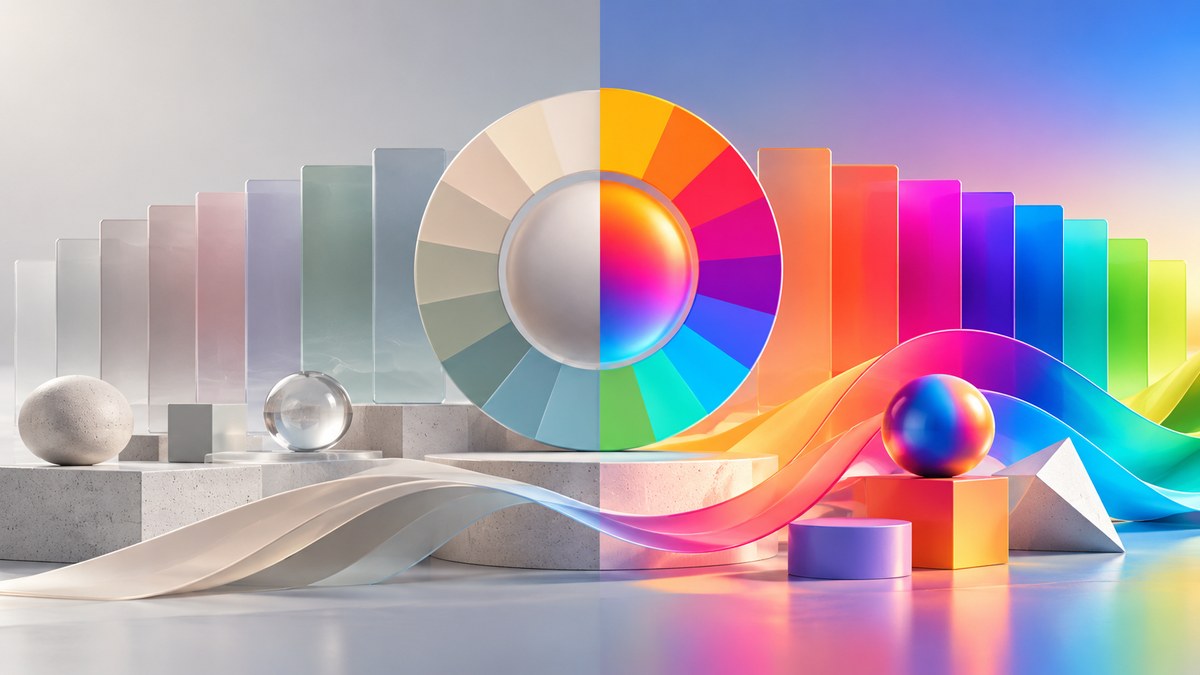
Your sunset photo looks radioactive. The client asked for “vibrant,” but the grass is practically glowing. You pull the saturation slider down, then up, then down again. Sound familiar?
Finding the right saturation level is one of the trickiest parts of color work. Push it too far and your image screams “amateur.” Leave it too low and the shot feels flat, like a rainy Tuesday in November. The sweet spot exists. This guide shows you exactly how to find it.
Saturation is not a single slider you pull and forget. It is a layered decision that depends on subject matter, output medium, lighting conditions, and emotional intent. This 2026 saturation levels guide covers the science, the common mistakes, and a repeatable workflow to help graphic designers, photographers, and digital artists create images with punch that still look natural.
Why Saturation Feels Like a Gamble
Most people treat saturation like a volume knob. Turn it up until it hurts, then back off a little. That approach works sometimes, but it ignores how our eyes actually process color.
Human vision is wired to notice changes in saturation more than changes in brightness. A slightly oversaturated blue sky reads as “pop.” A heavily oversaturated one reads as “cartoon.” The difference between those two outcomes is smaller than you think.
The problem gets worse on modern screens. OLED displays, HDR monitors, and even your phone’s vivid mode all boost color by default. When you edit an image on a calibrated screen and send it to someone with a retail display setting, your careful work gets amplified again. That sunset you edited now looks like a nuclear blast.
The Three Saturation Zones You Need to Know
Every image falls into one of three saturation zones. Learn to identify them, and you will stop guessing.
Zone 1: Desaturated (0 to 30 percent)
This zone works for moody portraits, rainy street scenes, and fine art photography. It removes distraction and forces the viewer to focus on shape, texture, and contrast. Think of the look in a classic black and white photo that has been tinted just slightly.
Use desaturated looks when your subject has strong compositional lines. A portrait with dramatic lighting works well here. A landscape with no strong focal point does not.
Zone 2: Natural (30 to 70 percent)
This is the home zone for 90 percent of professional work. Colors look like they do in real life, maybe a little better. Grass is green, not neon. Skin tones have warmth without looking like a spray tan.
Most stock photography, editorial work, and product shots live here. The goal is to make the viewer feel like the image is authentic, even if you pushed the sliders a bit.
Zone 3: Hyper Saturated (70 to 100 percent)
This zone is for intentional impact. Music festival posters, candy packaging, toy advertisements, and certain types of fine art photography use high saturation to create energy. The risk is obvious: once you go here, you cannot go back. An image that is 90 percent saturated on a food package looks exciting. The same saturation on a wedding photo looks like a mistake.
A Practical Workflow for Setting Saturation Levels
Stop moving sliders randomly. Use this process instead.
-
Set your white balance first. Saturation errors are almost always white balance errors in disguise. A warm white balance makes reds and oranges pop. A cool one makes blues and greens sing. Get the temperature right before you touch saturation at all.
-
Adjust luminance before saturation. This is the biggest secret in color grading. A color that is too bright or too dark will never look properly saturated. Pull the luminance down on a blown-out sky, and the blue will reappear without touching the saturation slider.
-
Use targeted adjustments, not global ones. In Lightroom, Photoshop, or Capture One, use the HSL panel. Boost the greens in the grass without affecting the model’s skin. Pull down the blues in the sky without turning the ocean into a neon nightmare.
-
Check your blacks and shadows. Oversaturated shadow areas look muddy and artificial. Desaturate the shadows slightly to maintain depth. Most editing software has a dedicated slider for shadow saturation.
-
Preview on a secondary device. Send the image to your phone. Pull it up on a laptop. If it looks good on two different screens, you are in the right zone.
Common Saturation Mistakes (and How to Fix Them)
| Mistake | What It Looks Like | The Fix |
|---|---|---|
| Global oversaturation | Everything glows, skin looks plastic | Drop global saturation to 50%, then use HSL for specific colors |
| Clipped color channels | Solid blocks of color with no detail | Check your histogram; pull saturation back until detail returns |
| Ignoring skin tones | Faces look orange or magenta | Use a skin tone mask or the red/orange luminance sliders |
| Forgetting the background | Subject looks fine, background is distracting | Desaturate background colors by 15 to 20 percent |
| Editing on a vivid display | Image looks normal on your screen, washed out everywhere else | Calibrate your monitor or use a soft proofing profile |
How Output Medium Changes Everything
A saturation level that works for a billboard will fail on a phone screen. Here is how to adjust your approach for different outputs.
Print. Ink absorbs light. Printed colors always look less saturated than screen colors. Push your saturation 10 to 15 percent higher than what looks good on screen. The final product will land exactly where you want it.
Social media. Platforms like Instagram and TikTok compress images aggressively. They also boost contrast and saturation automatically on some devices. Keep your saturation on the lower end of natural, around 35 to 45 percent. Let the platform do the rest.
Web design. Screen readers, dark mode, and accessibility settings all affect how color appears. Stick to WCAG-compliant contrast ratios and avoid high saturation in background elements. Reserve punchy colors for buttons and calls to action. For more on this, check out our guide on choosing the perfect UI colors to enhance user experience.
Video. Moving images handle saturation differently than stills. A high saturation still image feels energetic. The same saturation in a video feels exhausting after ten seconds. Drop video saturation 10 percent below what you would use for a still.
The Role of Color Harmony in Saturation Decisions
Saturation does not exist in a vacuum. The colors around each other change how saturated a particular hue feels.
A red apple looks more saturated when placed on a gray table than on a red tablecloth. That is simultaneous contrast at work. Designers can use this to create impact without pushing sliders. If you want a color to feel punchy, surround it with neutral tones. If you want a calm feel, keep all colors at a similar saturation level.
This principle connects directly to mastering color harmony to elevate your visual designs. When your palette is balanced, saturation adjustments become smaller and more intentional.
“The best color grading advice I ever received was this: make the image look like a memory, not a photograph. Memories are slightly desaturated around the edges. They have focus. They do not scream for attention.” – Professional colorist, 20 years in editorial photography
Saturation by Subject Matter
Different subjects demand different saturation approaches. Here is a breakdown.
Portraits and people. Skin tone is king. Saturate everything else around the person, but keep skin in the 40 to 55 percent range. Use a luminance mask to protect skin tones from global adjustments. Oversaturated skin looks like a bad filter.
Landscapes and nature. Nature already has incredible color range. Your job is not to add color but to reveal what is already there. Boost greens and blues in the 50 to 65 percent range. Watch out for foliage turning neon in direct sunlight.
Food and product photography. This is the one category where higher saturation usually wins. Food looks more appetizing with rich, warm tones. Push reds and oranges to 70 percent. Keep whites and neutrals clean. Do not oversaturate the plate or the table surface.
Urban and architecture. Cities look best with moderate saturation and high clarity. Boost blues in the sky, cool down shadows, and keep brick and concrete neutral. Overdoing saturation on buildings makes them look like toys.
Fashion and editorial. This is where rules break. Fashion photography often uses hyper saturated colors for artistic effect. The trick is to keep skin tones natural even when everything else is pushed. Isolate the model with a mask and apply heavy saturation only to the clothing and background.
Tools and Techniques for 2026
The software you use matters less than your approach, but here are the specific tools that help in 2026.
HSL panels. Every serious editing tool has one. Learn the keyboard shortcuts for each color channel. You should be able to desaturate blues and boost oranges in under five seconds.
Color grading wheels. These let you add different saturation levels to shadows, midtones, and highlights. A common technique is to add a warm tint to highlights and a cool tint to shadows, then desaturate the shadows slightly for depth.
Luminance masking. This is the single most powerful tool for saturation control. Create a mask based on brightness values. Protect your highlights from oversaturation. Pull saturation out of the shadows. This alone will improve your work more than any slider.
Reference images. Build a folder of images you admire. Study their saturation levels using the eyedropper tool or a color picker. You will start to see patterns. Most editorial photography sits between 40 and 55 percent saturation. Most commercial food photography sits between 60 and 75 percent.
For more on building a solid foundation, read about creating stunning color palettes with expert tips for every project.
A Quick Reference for Checking Your Work
Before you export, run through this checklist.
- Do any colors look like they are glowing?
- Are skin tones natural or do they look orange, magenta, or green?
- Do the shadows have detail or are they solid blocks of dark color?
- Does the image look the same on your phone and your monitor?
- Would you print this image and hang it on your wall?
If you answered yes to all of these, you are in a good place. If any answer was no, go back to the HSL panel and make targeted adjustments.
Why Less Is Still More in 2026
The trend toward maximalism in design might make you think high saturation is the answer. It is not. The most memorable images from 2025 and 2026 have been restrained. Bold color choices, yes. But restrained execution.
Look at the branding for major tech companies, fashion houses, and film studios. They use color with precision. A single saturated accent against a muted background. A carefully controlled palette that never hits 100 percent on any channel.
This approach signals confidence. It says “I know exactly what I am doing.” That is the feeling you want your audience to have when they look at your work.
Putting This Into Practice Today
Pick one image you have been struggling with. Open it in your editing software. Reset the saturation slider to zero. Set your white balance. Adjust your luminance. Then add saturation back in using the HSL panel, one color at a time.
Compare the result to your original edit. Chances are, the new version looks more professional, even if it has less total saturation. That is the paradox of color work. The more control you show, the more impact you create.
If you want to go deeper into building cohesive palettes, our guide on mastering color harmony essential principles for stunning visual designs walks through the full process.
