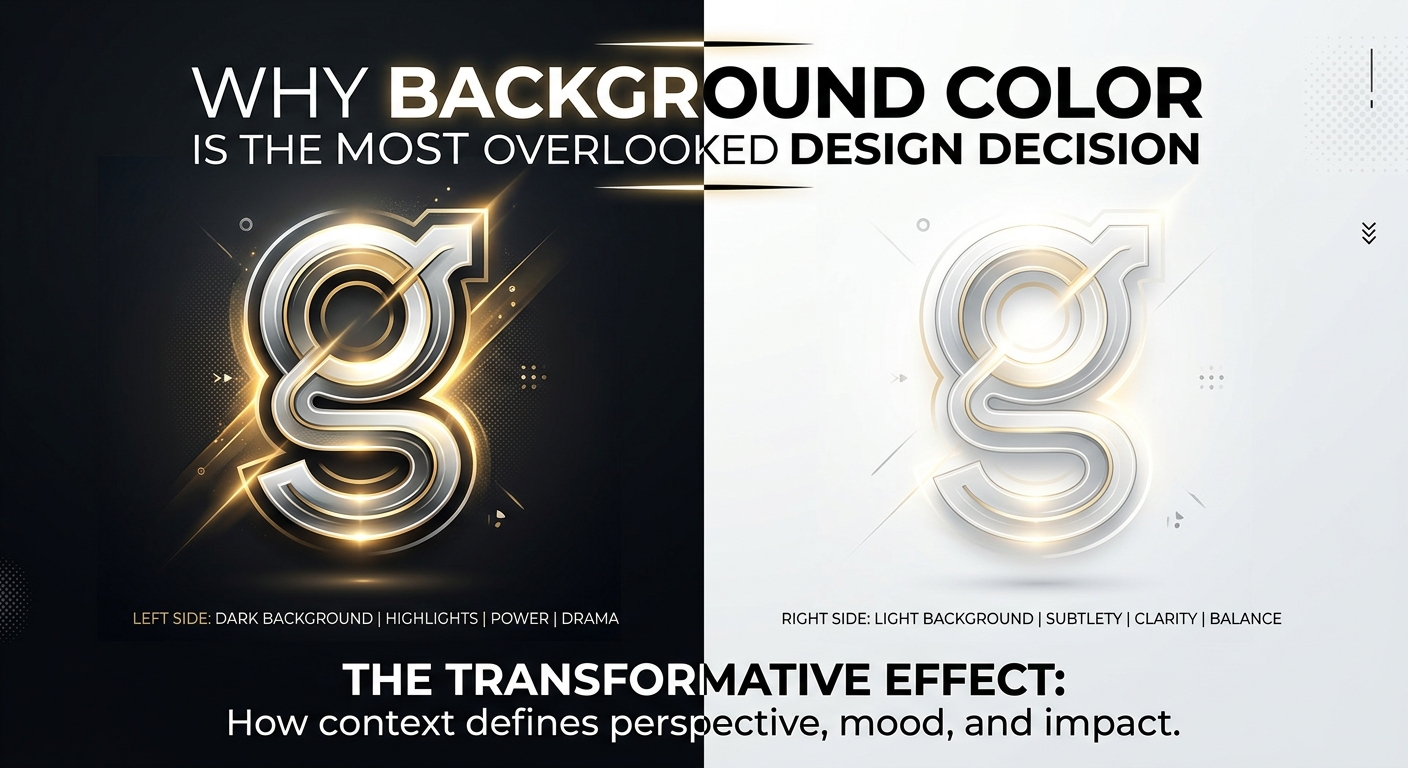
Most designers spend hours obsessing over typography, button shapes, and hero images. Then they slap a white or off-white background on at the end and call it done. That background does more work than almost anything else on the screen, and treating it as an afterthought is costing designs their impact.
- Background color is the perceptual baseline for every other color on the canvas.
- Hue sends an emotional signal before a viewer reads a single word.
- Even minor background shifts can break WCAG contrast compliance across an entire design.
- Testing foreground elements against real tonal variation surfaces problems flat swatches miss entirely.
- Committing to a background color requires clear criteria, not instinct alone.
The Quiet Foundation That Controls Everything
Think of background color as the ground beneath your feet. Every element sitting on top of it, type, icons, images, buttons, reads differently depending on what’s underneath. A coral red headline on a warm cream background feels energetic and inviting. That same headline on a dark navy background feels electric and urgent. The headline hasn’t changed. The background did all the work.
This is not a minor thing. The background sets the perceptual baseline for your entire palette. Every other color gets interpreted relative to it. That’s the definition of a foundational decision, yet most workflows treat it as a cleanup task at the end of the process.
The consequence is designs that feel slightly off in ways that are hard to name. Contrast ratios that technically pass but feel uncomfortable. Color palettes that looked great in isolation but feel muddy on screen. These are background problems dressed up as other problems.
Value and Hue Are Doing Two Different Jobs
Background color has two independent dimensions: value, meaning how light or dark it is, and hue, meaning what color family it sits in. Each one affects the design differently, and conflating the two leads to muddled decisions.
Value governs contrast and legibility. A light background makes dark text pop. A dark background demands light text. This is straightforward until you consider midrange values, the warm grays, soft taupes, and dusty lavenders that sit in between. At those mid-tones, contrast can quietly erode. Type becomes harder to read. Thin UI lines disappear. The design feels like it needs more breathing room, but adding space doesn’t fix a contrast issue.
Hue governs emotional tone. Even neutral backgrounds aren’t truly neutral. Warm whites carry softness and familiarity. Cool whites feel clinical and precise. A background with a hint of sage green signals calm and naturalness. A background nudged toward indigo reads as sophisticated and slightly mysterious. These shifts are subtle, but they prime the viewer before they consciously register any content.
How Background Color Builds Visual Hierarchy
Hierarchy in design means guiding the viewer’s eye in a deliberate order, from the most important thing to the least. Background color participates in this more than most people realize.
When a section of a page uses a slightly different background value, even a barely perceptible difference, it creates a visual grouping. The eye reads that zone as a separate layer. Cards, sidebars, and modal overlays all use this principle. The foreground feels elevated because the background behind it is visually recessed.
Color temperature plays into this, too. Warmer background tones tend to advance visually. Cooler tones recede. A warm background card on a cool-toned page will naturally draw the eye, even without any other visual treatment. This is a tool, not a side effect, but only if you’re making the choice deliberately.
What Contrast Guidelines Actually Require From Your Background
Contrast requirements exist for a reason. W3C’s WCAG 2.1 guidelines define a minimum contrast ratio for readable text of 4.5:1 for normal-sized body copy against its background. Large text gets a slightly looser requirement at 3:1. These ratios are calculated between foreground and background color, which means the background is literally half of every accessibility calculation you’ll ever run.
Changing a background from pure white to a warm off-white with slight yellow undertones shifts your contrast ratios. Swapping a dark background from near-black to a deep teal shifts them again. Every background tweak ripples through every contrast check on the page. This is why locking in background color early isn’t just a stylistic preference. It’s a practical workflow decision that saves significant recalculation time later.
Gathering Real References Before Committing
Choosing a background color from a swatch in isolation almost never works. You need to see it under pressure. That means placing your foreground elements, your type, your UI components, your brand mark, on top of it and observing what happens.
One of the most useful methods for this kind of testing is working against real-world context images rather than flat color swatches. Browsing background stock photos gives you a range of hue and value combinations to test your foreground elements against. You start to see quickly which text weights hold up in low-contrast situations, which accent colors fight with warm tones, and which UI elements need more visual definition to survive against richer backgrounds.
This isn’t about using stock imagery in a final design. It’s a diagnostic tool. Load a reference image with the hue family you’re considering. Overlay your text or components. Watch what happens. Problems that never surface in flat-swatch testing become obvious immediately when real tonal complexity enters the picture.
Complement this with in-browser testing across devices. Different screens render color differently. A background that looks cool and neutral on a calibrated monitor may read as distinctly blue or gray-green on an older display. Viewing your design on multiple devices during the decision-making phase, not after, is where real-world testing pays off.
The Emotional Signal Sent Before Anything Else Loads
Before a user reads a headline, clicks a button, or watches an animation, the background color has already spoken. This is not metaphorical. Color is processed before form in visual perception. The emotional signal arrives first.
A deep forest green background signals something organic, grounded, maybe artisanal. A crisp, near-white background signals efficiency and clarity, often associated with modern tech products. A background edging into dusty rose communicates warmth and softness. None of these readings are accidents. They’re the result of cultural conditioning and psychological pattern recognition built up over a lifetime of visual experience.
Brands that understand this use background color as a deliberate first message. The background is the brand’s handshake before the logo even registers.
A Framework for Committing to Your Background Color
After you’ve tested, gathered references, and stress-tested contrast ratios, you still need a clear framework for making the final call. Gut feeling isn’t enough. Run through these criteria before committing:
- Contrast compliance passes at your target level. Run your primary text and key UI elements against the chosen background at WCAG AA as a minimum. If your audience includes people with low vision, push for AAA.
- The emotional tone is intentional, not accidental. Ask: what feeling does this background prime in the viewer? Is that the right feeling for this product or piece of work?
- Your accent and brand colors still read clearly on top of it. A background that fights your accent palette is the wrong background, regardless of how much you love it in isolation.
- The hierarchy structure holds at a glance. Without reading any text, the visual layering should communicate what matters most. If everything feels equally weighted, the background isn’t doing its job.
- It reads correctly across devices. You’ve tested it on at least two different screen types. Any hue shifts you observe are acceptable, not dealbreakers.
- You can articulate why. If you can’t explain the background choice in a sentence, you haven’t made a decision yet. You’ve made a guess.
Running through this list turns a subjective aesthetic choice into a defensible design decision. That matters when you’re presenting work, collaborating with a team, or handing off a design system to developers who need to understand the intent behind every color token.
When the Background Stops Being Invisible
There’s a final stage of background color mastery where the background stops being a passive surface and becomes the primary visual element. Dark mode interfaces do this explicitly. Rich editorial layouts do it with full-bleed color sections. Digital art does it whenever negative space is the entire composition.
In these cases, all the same principles apply but at a higher intensity. The background hue shapes the emotional register of the entire piece. The value relationships between layers carry all the hierarchy. The absence of a safe neutral white means there’s nowhere to hide a mistake in the palette.
These are the designs where a background decision made early with intention produces work that feels cohesive and considered. A background decision made late or by default produces work that everyone senses is slightly off, without being able to name exactly why.
The Difference Between a Default and a Decision
Background color earns its place at the start of the design process, not the end. It shapes contrast, carries emotional meaning, and anchors every hierarchy decision that follows. The moment you start treating it as a primary choice rather than a default, the rest of your palette decisions become easier. Everything else is responding to a foundation you’ve already laid with intention.
That shift in workflow is small. The effect on the finished design is not.