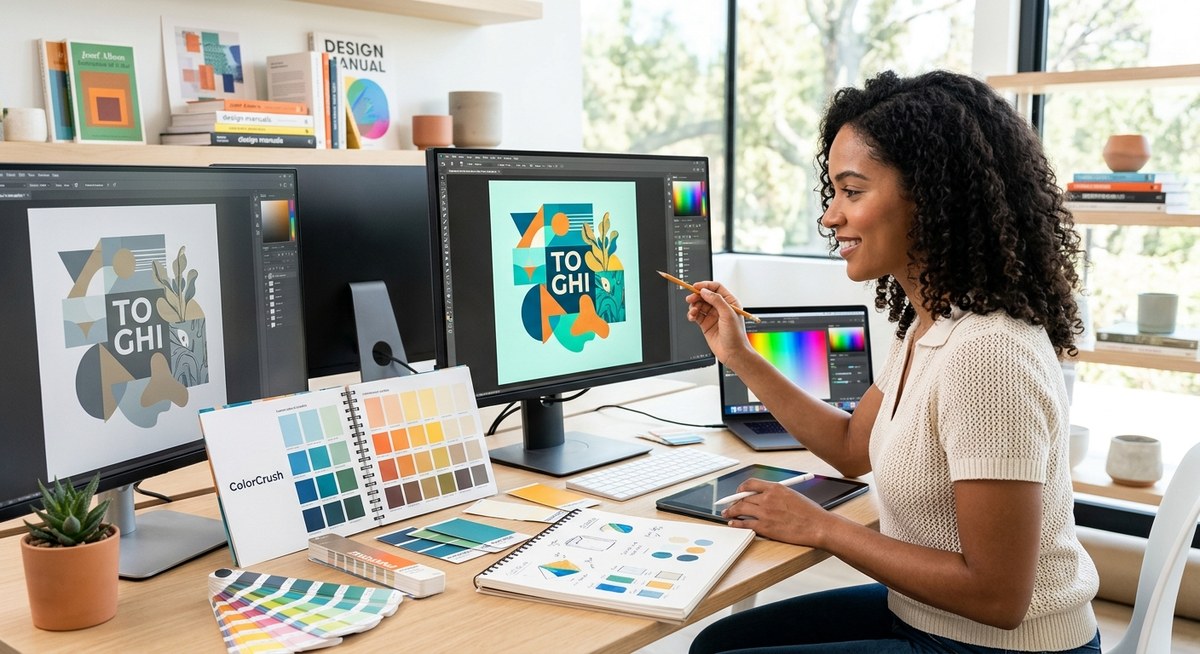
Transforming a visual project with the right color palette can make all the difference. Whether you’re designing a website, branding a product, or decorating a space, selecting a compelling color scheme is both an art and a science. Good color choices enhance storytelling, guide user experience, and create memorable impressions. But with so many options and principles, how do you craft palettes that truly work? Let’s break down effective strategies to help you develop color schemes that resonate and elevate your projects.
Developing successful color palettes involves understanding [core principles](https://en.wikipedia.org/wiki/Color_theory), choosing harmony, and tailoring colors to your project’s purpose. Use structured processes and be mindful of common pitfalls to craft visually appealing and emotionally compelling schemes that align with your goals.
Understanding the importance of color palette strategies
Every successful visual project starts with a solid color foundation. A thoughtfully curated palette guides viewers’ attention, conveys mood, and supports brand identity. Without a clear strategy, color choices can feel random or clash, undermining your efforts. The goal is to create harmony, contrast, and emphasis through color, all tailored to the specific context of your project.
Core principles for crafting effective color palettes
Before diving into techniques, it’s vital to grasp some core principles:
- Color harmony: Combining colors that work well together creates a balanced look.
- Contrast and emphasis: Using contrasting colors highlights important elements.
- Emotional impact: Colors evoke feelings; choose schemes that align with your message.
- Consistency: Maintaining a unified palette reinforces your visual identity.
- Context awareness: Consider the medium, audience, and environment where your design will appear.
Practical steps to develop your color palette
Follow this structured process to build a palette that serves your project’s needs:
1. Define your project’s purpose and audience
Start by clarifying what your project aims to communicate. Is it professional or playful? Calm or energetic? Understanding your target audience and the emotional tone helps narrow down suitable color choices. For example, a wellness app benefits from soothing greens and blues, while a children’s toy brand might opt for bright, lively colors.
2. Choose a primary color or mood inspiration
Select a dominant color or mood that aligns with your theme. This could be inspired by brand colors, a specific emotion, or an environmental element. Tools like mood boards or color inspiration sites can help gather ideas. Once you have your primary hue, it becomes the anchor for your palette.
3. Build around harmony and contrast
Now, expand your palette using one or more of these techniques:
- Analogous colors: Colors next to each other on the color wheel create harmony. For example, blue, teal, and green.
- Complementary colors: Opposite hues provide vibrant contrast. Think red and green or blue and orange.
- Triadic schemes: Equally spaced colors around the wheel offer vibrant balance. For instance, purple, orange, and green.
Using a color palette generator can assist in visualizing these combinations. Remember to test contrast levels to ensure readability and accessibility.
4. Add neutral or supporting tones
Neutral colors like white, gray, beige, or black serve as buffers or backgrounds that let your main colors shine. They also help balance vibrant hues and prevent visual overload. Use neutrals to create space and focus areas within your design.
5. Refine and test your palette
Once you have a set of colors, apply them to mockups or prototypes. Check how they look across different devices and lighting conditions. Consider accessibility standards—ensure sufficient contrast for text readability. Adjust hues, saturation, or brightness as needed.
Common mistakes to avoid in color palette creation
| Mistake | Explanation | Example |
|---|---|---|
| Overloading with bright colors | Too many bold hues can clash and overwhelm | Using neon pink, yellow, and orange together without moderation |
| Ignoring accessibility | Failing to consider contrast can hinder readability | Light gray text on a pale yellow background |
| Lack of harmony | Random color choices create dissonance | Mixing warm and cool tones without a cohesive plan |
| Not testing in context | Colors may look different in the final medium | Colors appearing well on screen but clashing in print |
“Always test your palette in real-world scenarios. Colors can appear differently depending on lighting, display, or material,” advises designer Alex Rivera.
Techniques to enhance your color palette strategies
Here are some proven methods to refine your palette:
- Use a color wheel: Visualize relationships and choose harmonious combinations.
- Apply the 60-30-10 rule: Use 60% dominant color, 30% secondary, and 10% accent to create balance.
- Limit your palette: Stick to 3-5 core colors for simplicity and coherence.
- Leverage color psychology: Use colors that evoke the desired emotions—blue for trust, red for excitement, etc.
- Create variations: Use different shades, tints, and tones of your core colors for depth.
| Technique | Benefit | When to use |
|---|---|---|
| Color wheel | Visualize relationships | When starting your palette |
| 60-30-10 rule | Balance colors | For interior spaces and branding |
| Limiting colors | Maintain harmony | For digital interfaces and logos |
| Variations | Add depth | For detailed illustrations |
Common pitfalls and how to avoid them
| Mistake | Solution |
|---|---|
| Relying on trending colors only | Focus on your project’s personality first |
| Using too many colors | Limit your palette to enhance coherence |
| Ignoring cultural connotations | Research color meanings in your target market |
| Not considering accessibility | Test contrast and legibility early |
Final tips for mastering color palette strategies
- Keep a palette library or mood board for future projects.
- Use tools like Coolors or Adobe Color to generate and experiment.
- Regularly review your choices with fresh eyes or seek feedback.
- Remember that less is often more. Simple schemes can be more impactful than complex ones.
Building your confidence with color choices
Developing strong color palette strategies takes practice. Start small by experimenting with existing projects or personal work. Pay attention to how colors influence mood and user experience. Over time, you’ll develop an intuitive sense for which combinations work best for your unique style and projects.
Putting your color palette skills into action
Create a mood board, gather inspiration, and set clear goals for your next project. Apply these strategies to craft palettes that not only look great but also communicate your message effectively. As you refine your process, your confidence in selecting harmonious and impactful colors will grow.
Your next step in mastering color palettes
Remember, effective use of color is a powerful tool in any designer’s toolkit. By understanding core principles, applying structured processes, and continually testing your choices, you’ll craft palettes that truly transform your visual projects. Keep experimenting and trusting your instincts—your best color schemes are yet to come.
Color palette mastery fuels your creative journey
A well-thought-out color palette elevates your work from good to memorable. Approach each project as an opportunity to refine your eye and expand your palette toolkit. With patience and practice, you will craft schemes that not only look stunning but also serve your creative vision and audience. Keep exploring, keep designing, and let color be your strongest asset.