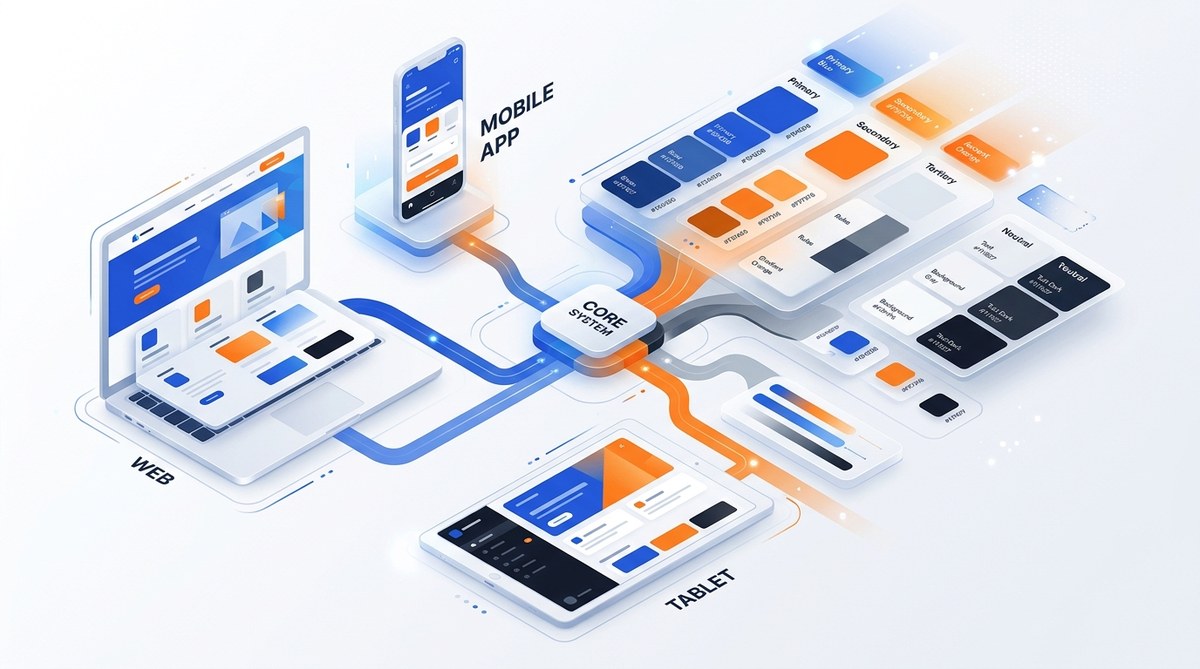
Building a color system that works across web, iOS, and Android is one of the hardest problems in design systems. Each platform renders color differently. Each team has their own workflow. And without a shared structure, your product will end up with sixteen shades of blue that all claim to be “brand blue.”
I have seen this happen at companies large and small. The fix is not a bigger palette. The fix is a system designed to scale.
A scalable color system relies on token-based naming, platform-aware values, and strict semantic roles. You define colors once as abstract tokens (like “brand-primary” or “surface-raised”), then map each token to platform-specific values. This separation of concerns lets you maintain one source of truth while shipping correct hex, RGBA, and named color values to every platform.
Why most color systems fail at scale
A color system usually starts simple. You pick a primary, a secondary, and a few neutrals. Then the product grows. A new feature needs a status color. Marketing wants a variant for dark mode. Someone on Android uses a slightly different hex because the original looked muddy on their screen.
Before long, your design system has two sets of colors: the official ones in Figma and the real ones in production.
The core problem is that most teams treat color as a static value. They say “our blue is #0066FF.” But that value might look perfect on a white web background and terrible on a dark mobile interface. A scalable system does not store color values. It stores color intent.
The three layers of a scalable color system
A solid system has three layers. Each layer handles one concern.
Layer 1: Semantic tokens
These are abstract names that describe what the color does, not what it looks like. Examples include:
brand-primarysurface-pagesurface-raisedtext-bodytext-headingborder-subtlestatus-successstatus-warning
Notice that none of these names include a specific hue. That is intentional. When your brand changes its primary color next year, you only update the mapping for brand-primary. Every component that uses that token updates automatically.
Layer 2: Role definitions
Each token gets a role. Roles describe the color’s job in the interface. Common roles include:
- Surface: Background colors for containers, cards, and pages
- Text: Foreground colors for copy and headings
- Border: Stroke colors for dividers, inputs, and outlines
- Accent: Highlight colors for interactive states, links, and CTAs
- Status: Semantic colors for success, error, warning, and info
Roles help you enforce rules. For example, a text color should never be used as a surface background without an accessibility check.
Layer 3: Platform values
This is where you store the actual color values for each platform. A single token like surface-page might map to three different values:
| Token | Web (hex) | iOS (RGBA) | Android (ARGB) |
|---|---|---|---|
| surface-page | #FFFFFF | rgba(255,255,255,1) | #FFFFFFFF |
| surface-raised | #F5F5F5 | rgba(245,245,245,1) | #FFF5F5F5 |
| text-body | #1A1A1A | rgba(26,26,26,1) | #FF1A1A1A |
| status-success | #2E7D32 | rgba(46,125,50,1) | #FF2E7D32 |
You can add more columns for dark mode, high contrast mode, or any other theme.
A practical process for building your system
Here is a step-by-step process you can start today.
-
Audit your current palette. Pull every color from your design files, CSS, iOS styles, and Android styles. Group them by visual similarity. You will likely find duplicates with slightly different values.
-
Define your semantic tokens. Start with the most common roles: brand, surface, text, border, accent, and status. Name each token based on its function, not its appearance.
-
Assign a single source of truth. Store your tokens and their platform mappings in a shared repository. A JSON file in your design system repo works well. Every team reads from this file.
-
Create platform-specific generators. Write a small script that takes your JSON and outputs CSS custom properties, iOS UIColor constants, and Android ColorSwatch entries. Automate this step so updates are instant.
-
Document the rules. Write clear guidelines for when to use each token. Include accessibility contrast ratios. Show examples of correct and incorrect usage.
-
Test across platforms. Verify that each token renders correctly on web, iOS, and Android. Check contrast ratios, color blindness simulations, and dark mode compatibility.
-
Review and iterate. Set a quarterly review to add new tokens or adjust existing mappings. Do not let the system grow stale.
Common mistakes and how to avoid them
| Mistake | Why it hurts | How to fix it |
|---|---|---|
| Using hex codes directly in code | Every change requires a search and replace | Use tokens everywhere; map values in one place |
| Naming colors by hue (e.g., “blue-500”) | The name means nothing when the brand changes | Name by intent (e.g., “brand-primary”) |
| Ignoring platform color spaces | A color that looks fine on sRGB may look wrong on P3 | Store platform-specific values for each token |
| Skipping dark mode variants | Dark mode becomes a separate, unmaintained palette | Include dark mode values in your token mappings |
| Letting teams define their own colors | The system fragments within weeks | Require a pull request to add new tokens |
How to handle dark mode and theming
A scalable color system handles themes the same way it handles platforms. You add a theme dimension to your token mappings.
For example, the token surface-page might have these values:
- Light theme: #FFFFFF
- Dark theme: #1A1A1A
- High contrast theme: #000000
Each platform uses the same token but pulls the value for the active theme. This keeps your code clean and your themes consistent.
If you are working on a product that supports user-customizable themes, consider adding a fourth layer for user overrides. Store those overrides separately so they do not pollute your base system.
A note on accessibility
Color contrast is not optional. Every token pair (text on surface, border on surface) must meet WCAG 2.1 AA standards. Automate this check in your CI pipeline. If a new token mapping fails contrast requirements, the build should fail.
Use tools like Stark or Contrast Ratio to verify your combinations. Document the minimum contrast ratio for each role pair. For example, text on surface should always have a contrast ratio of at least 4.5:1.
Tools and workflows that support this approach
You do not need a custom platform to implement this system. Start with a simple JSON structure.
{
  "tokens": {
    "surface-page": {
      "light": "#FFFFFF",
      "dark": "#1A1A1A"
    },
    "text-body": {
      "light": "#1A1A1A",
      "dark": "#E0E0E0"
    }
  },
  "platforms": {
    "web": {
      "output": "css/custom-properties"
    },
    "ios": {
      "output": "swift/color-constants"
    },
    "android": {
      "output": "java/color-swatches"
    }
  }
}
From there, write a small script in Node, Python, or your language of choice that reads this JSON and generates the platform-specific files. Commit the generated files to your repository so everyone can see them.
If you use Figma, consider syncing your tokens to Figma variables using a plugin. This keeps designers and developers on the same tokens.
When to add a new token
Adding a token should require more thought than adding a color. Follow these guidelines:
- Only add a token if you cannot reuse an existing one
- A new token must serve a distinct role (do not add “brand-secondary” if “accent-cta” already works)
- Every new token must include light and dark variants
- Every new token must pass accessibility contrast checks with its expected pairings
If a designer asks for a new color, ask them what role it plays. If the role is already covered by an existing token, use that token. If the role is new, add the token.
“The goal is not to have every color you might ever need. The goal is to have a system that can grow without breaking.” — A design systems lead at a major e-commerce company
Tying it back to your daily work
Building a scalable color system is not a one-time project. It is a practice. You start small, with your most used tokens, and expand as needed. The structure stays the same: semantic tokens, role definitions, platform values.
If you are managing a design system for a product with multiple platforms, start your audit this week. Find the three most inconsistent colors in your product and map them to tokens. See how it feels to make a change in one place and watch it propagate everywhere.
For more on how color choices affect user experience, read our guide on choosing the perfect UI colors to enhance user experience. If you are still refining your brand palette, our article on how to choose the perfect accent color for your brand in 2026 covers the latest thinking.
Start with one token
You do not need to overhaul your entire system today. Pick one color that causes the most friction between your web and mobile teams. Turn it into a token. Map the platform values. Automate the output. Then do another one.
Each token you add makes your system stronger and your product more consistent. That is the whole point of a scalable color system. It grows with you, not against you.