Creating a captivating color palette can transform your project from ordinary to extraordinary. Whether you’re designing a website, illustrating a piece of art, or decorating a space, the right combination of colors sets the tone and influences how your audience feels. But crafting a palette that feels harmonious and intentional can seem daunting. Luckily, with a few simple steps and the right tools, you can confidently develop color schemes that elevate your work.
Creating color palettes is about understanding color relationships, choosing your base hues carefully, and refining your scheme through practical tools and techniques. Focus on harmony, contrast, and [accessibility](https://www.who.int/health-topics/visual-impairment#tab=tab_1) to make your designs stand out and communicate effectively.
Understanding The Fundamentals Of Color Harmony
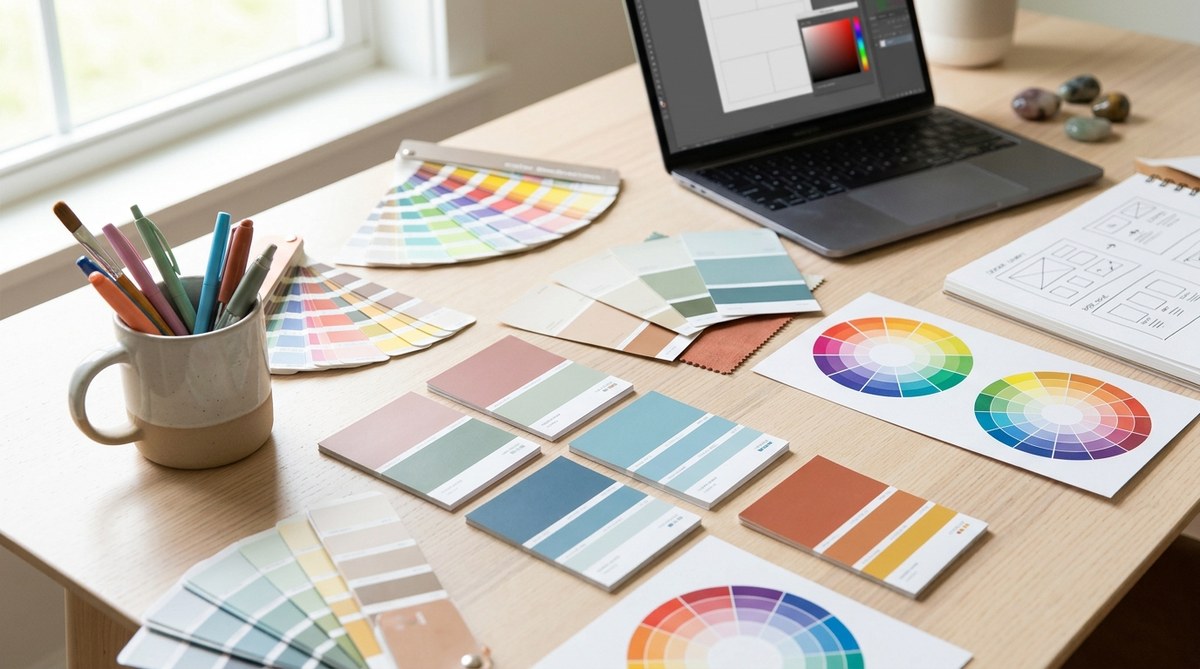
Before jumping into palette creation, it’s essential to grasp the basics of color theory. This knowledge helps you choose colors that work well together and evoke the desired mood or message. The color wheel is a handy tool that illustrates the relationships between hues.
The Role Of Color Theory
Color theory is the science of how colors interact. It guides you in selecting combinations that are visually appealing and balanced. For example, complementary colors are opposite each other on the wheel, creating vibrant contrasts. Analogous colors sit side by side for a harmonious look. Understanding these relationships enables you to craft palettes that feel intentional and polished.
Key Techniques For Harmonious Palettes
| Technique | Description | Common Use | Mistakes To Avoid |
|---|---|---|---|
| Monochromatic | Variations of a single hue, using different shades, tints, and tones | Minimalist designs, branding | Overusing one color, losing visual interest |
| Complementary | Colors opposite each other on the wheel | High contrast designs | Clashing if not balanced properly |
| Analogous | Colors next to each other on the wheel | Calm, cohesive schemes | Too similar, lack of contrast |
| Triadic | Three colors evenly spaced around the wheel | Vibrant, balanced palettes | Colors may compete if not balanced |
“Understanding how colors relate helps you create schemes that are both dynamic and cohesive,” advises designer Emily Carter. Keep this in mind when selecting your base hues.
Step-By-Step Guide To Creating Color Palettes
Creating a well-balanced palette involves a process that can be broken down into manageable steps. Here’s a practical approach to develop your next color scheme:
1. Define Your Project’s Mood And Purpose
Start by clarifying what you want your design to communicate. Is it playful, professional, calming, or energetic? Your goal influences your color choices. For instance, blues and greens evoke tranquility, while reds and oranges convey excitement.
2. Choose Your Base Color
Pick a primary hue that aligns with your mood. This could be the dominant color in your design or the color that represents your brand. Use tools like Adobe Color to experiment with different base hues and see how they work with various schemes.
3. Generate Supporting Colors
From your base, develop a palette by adding complementary or analogous shades. You can also incorporate neutral tones like beige, gray, or white to balance the scheme. Many online tools, such as Coolors, allow you to generate harmonious palettes instantly.
4. Refine and Test Your Palette
Adjust the saturation and brightness levels to ensure your colors work well across different elements. Test your palette in context by applying it to mockups or prototypes. Check for readability, contrast, and overall harmony.
5. Ensure Accessibility and Inclusivity
Verify that your palette is accessible to all users. Use contrast checking tools like WebAIM to confirm your colors meet accessibility standards. This step ensures your design is inclusive and user-friendly.
6. Iterate and Finalize
Refinement is key. Don’t hesitate to tweak your colors based on feedback or new insights. A balanced palette often involves a few iterations to achieve perfection.
Practical Tips For Effective Color Palette Creation
- Limit your colors to keep your scheme simple and focused. Three to five colors are usually enough.
- Use neutral shades to give your main colors room to breathe and to create visual hierarchy.
- Draw inspiration from nature, photographs, or existing designs. Tools like Colormind can generate palettes based on images.
- Save your palettes for future projects. Many tools let you export and organize your schemes for easy access.
Common pitfalls to avoid
| Mistake | Why it’s problematic | How to fix it |
|---|---|---|
| Overloading with too many colors | Creates chaos and confusion | Stick to a core palette of 3-5 colors |
| Ignoring contrast | Reduces readability and accessibility | Use contrast checkers and prioritize high-contrast combinations |
| Not testing in context | Colors may look different in actual design | Always preview your palette in the intended environment |
Expert Tips To Elevate Your Color Scheme Skills
“Always consider the emotional impact of your colors. Think about how your palette makes people feel and whether it aligns with your message,” advises design expert Lisa Johnson. Remember that color is a powerful tool for storytelling.
Tools And Resources To Help You Create Color Palettes
- Adobe Color: Generate palettes from rules, images, or custom wheels.
- Coolors: Create, save, and share palettes with ease.
- Colormind: AI-powered palette generator based on deep learning.
- Color Hunt: Curated collection of trendy palettes.
- WebAIM contrast checker: Ensure your colors meet accessibility standards.
Using these tools simplifies the palette creation process and helps you avoid common mistakes. They also inspire creativity by offering fresh combinations you might not have considered.
Wrapping Up Your Color Journey
Designing stunning color palettes is part science, part art. Understanding color relationships, defining your mood, and leveraging the right tools can make the process enjoyable and rewarding. Remember that great palettes often evolve through experimentation and feedback. Keep practicing, stay curious, and don’t hesitate to draw inspiration from the world around you.
By applying these practical steps and tips, you’ll develop palettes that not only look good but also communicate your message effectively. Your next project deserves a color scheme that makes it shine. Start experimenting today and watch your designs come alive with vibrant, harmonious colors.